



Self-Assigning Chores
If your manager has enabled self-assign on one or more chores, you can pick up those chores yourself rather than waiting to be assigned. This gives you agency over your day — instead of just being told what to do, you can browse available chores and choose what you want to tackle.
How to Self-Assign a Chore
Section titled “How to Self-Assign a Chore”- On your Today’s Chores dashboard, tap the + button.
- A bottom sheet opens showing the chores available for self-assign. Each chore displays its name and effort points so you can see what you’re signing up for.
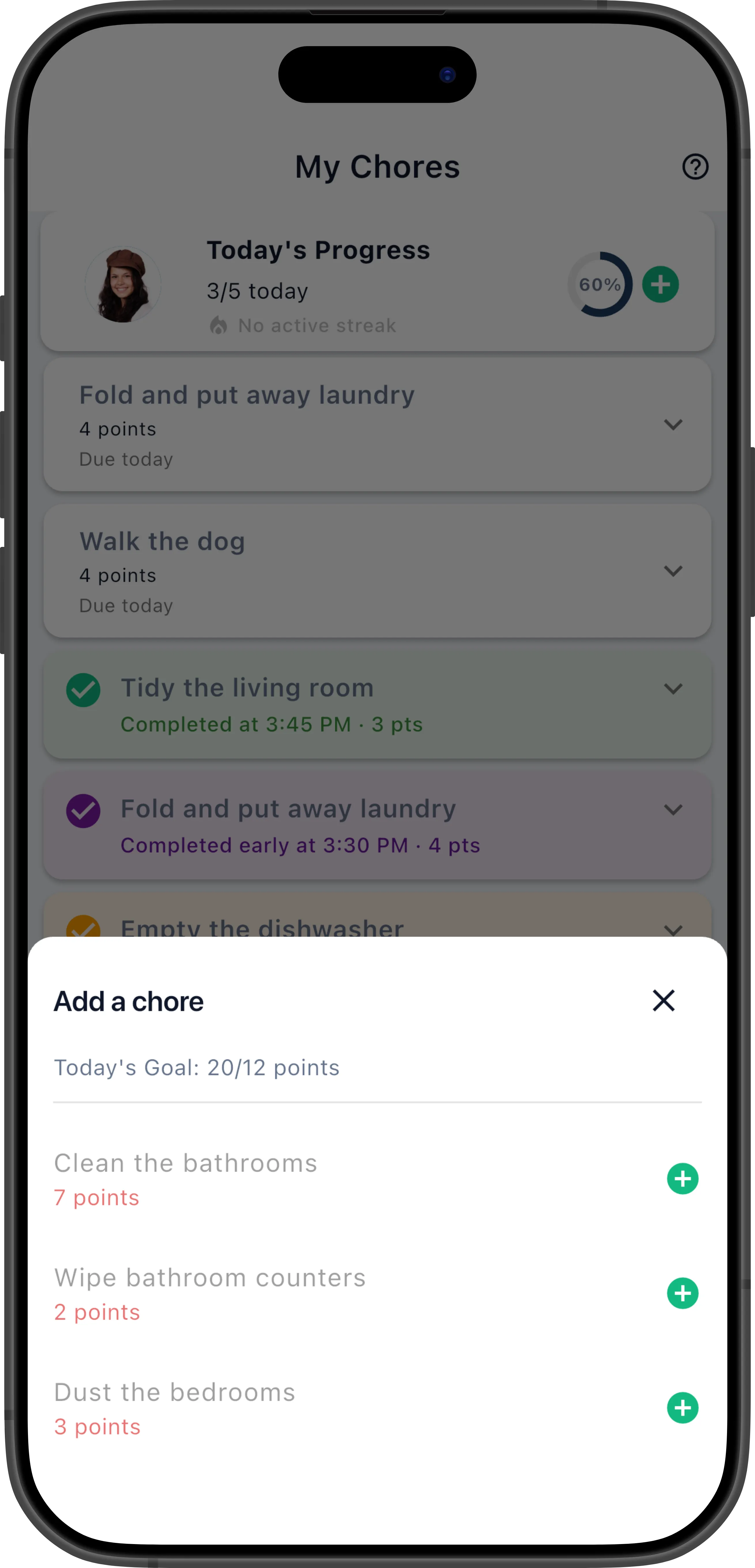
- Tap a chore to assign it to yourself.
- The chore appears on your dashboard immediately, ready to be completed.
You can self-assign multiple chores — just tap the + button again to pick up another one.
Why Don’t I See a Specific Chore?
Section titled “Why Don’t I See a Specific Chore?”A chore only appears in the self-assign list if all of the following are true:
- The manager has enabled Allow Self-Assign on that chore definition.
- You are in the chore’s Eligible Members list (or the list is unrestricted).
- You haven’t already reached your goal limit for the current interval.
- A pending assignment of that chore doesn’t already exist for you (unless the chore allows multiple assignments).
Additionally, if the manager has enabled Enforce Chore Restrictions on Self-Assign for a particular chore, the scheduling rules still apply even when you’re self-assigning:
- Day-of-week constraints — If the chore is set to only run on Saturdays, you can’t self-assign it on a Wednesday.
- Interval timing — If the chore repeats every 3 days and was last assigned yesterday, it won’t appear until the interval elapses.
- Strict rotation — If it’s not your turn in the rotation, the chore won’t appear in your list even though it’s available to self-assign.
When enforcement is off (the default), self-assign ignores all of these rules — you can grab the chore whenever you want, regardless of schedule. This is useful for chores where the schedule is a suggestion, not a strict requirement.
If you think a chore should appear but doesn’t, check with your manager — the chore might have self-assign disabled, or you might be past your goal capacity.
Goal Limits and Self-Assign
Section titled “Goal Limits and Self-Assign”ChorifIQ respects your goal when showing self-assignable chores. If your goal is 10 points per day and you’ve already earned 8 points, only chores worth 2 or fewer points will appear — preventing you from accidentally overloading yourself past your target.
If you’ve already met your goal for the current interval, the self-assign list will be empty. That’s by design — you’ve done your part for the day!
See Goals & Progress for more on how goals work.