



Chore Library
The Chore Library is a collection of pre-built chore templates covering common household tasks. Instead of creating every chore from scratch, browse the library and add the ones that fit your family.
Open the Chore Library
Section titled “Open the Chore Library”- From the main navigation, tap Chores.
- Tap Library (or the library icon in the top navigation).
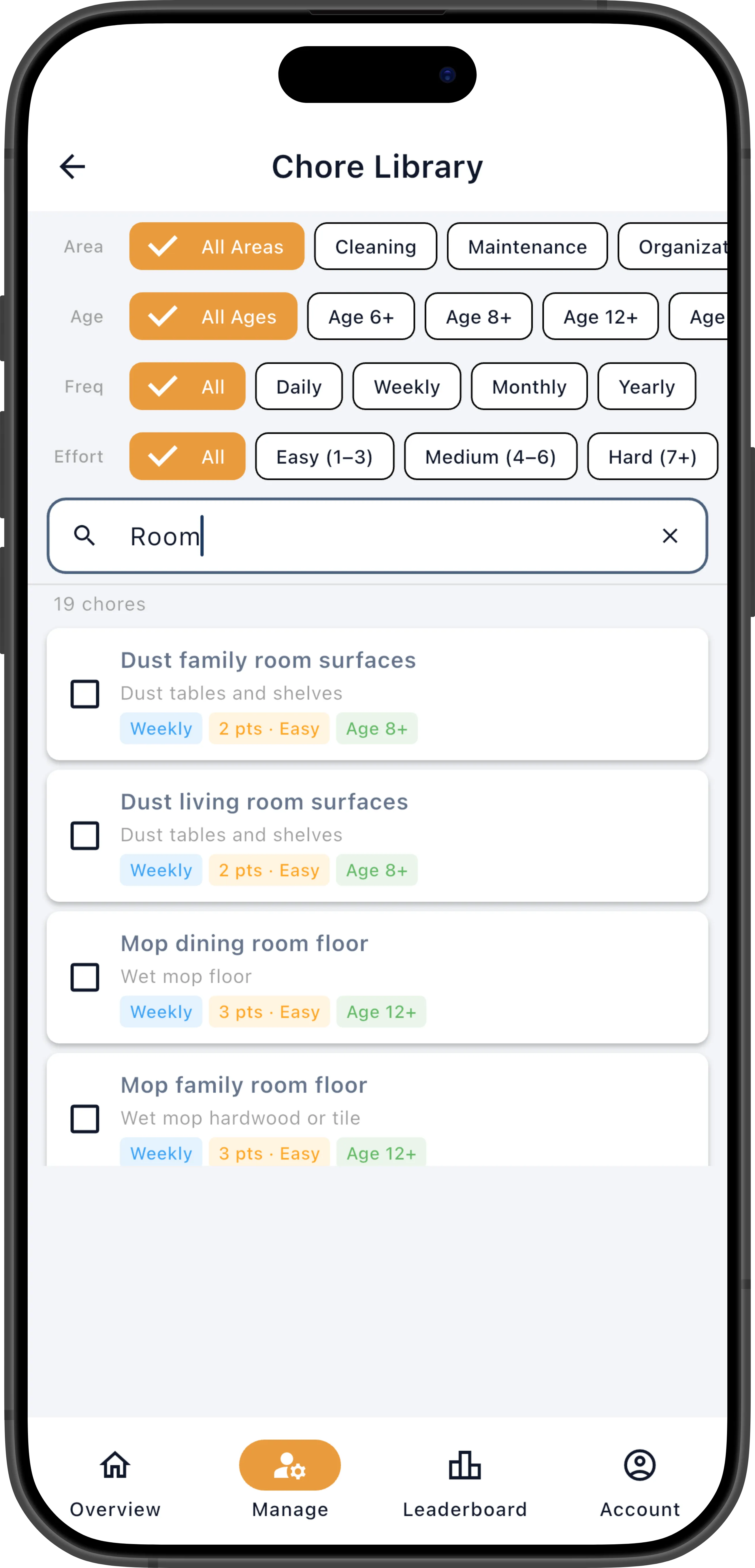
Browse and Filter
Section titled “Browse and Filter”Use the filter controls at the top to narrow down the list:
- Age — Filter by minimum recommended age: All (show everything), 6+, 8+, 12+, or 16+. This helps you quickly find age-appropriate chores when setting up a younger child’s schedule — a 7-year-old probably shouldn’t be mopping floors with chemicals, but “Make your bed” and “Put away toys” are perfect.
- Frequency — Daily, Weekly, Monthly, or Yearly.
- Effort — Easy (1–3 pts), Medium (4–6 pts), or Hard (7+ pts).
- Area — Room or category (e.g., Kitchen, Bathroom, Yard, General).
Each chore in the list displays its name, effort points, and minimum recommended age, so you can quickly scan for chores that fit your needs.
You can also use the search bar to find a chore by name or description — type “dishes” to find everything related to dishwashing, for example.
Tap Clear Filters to reset all filters and see the full library.
Add Chores to Your Family
Section titled “Add Chores to Your Family”- Tap the checkbox next to each chore you want to add. You can select multiple chores at once.
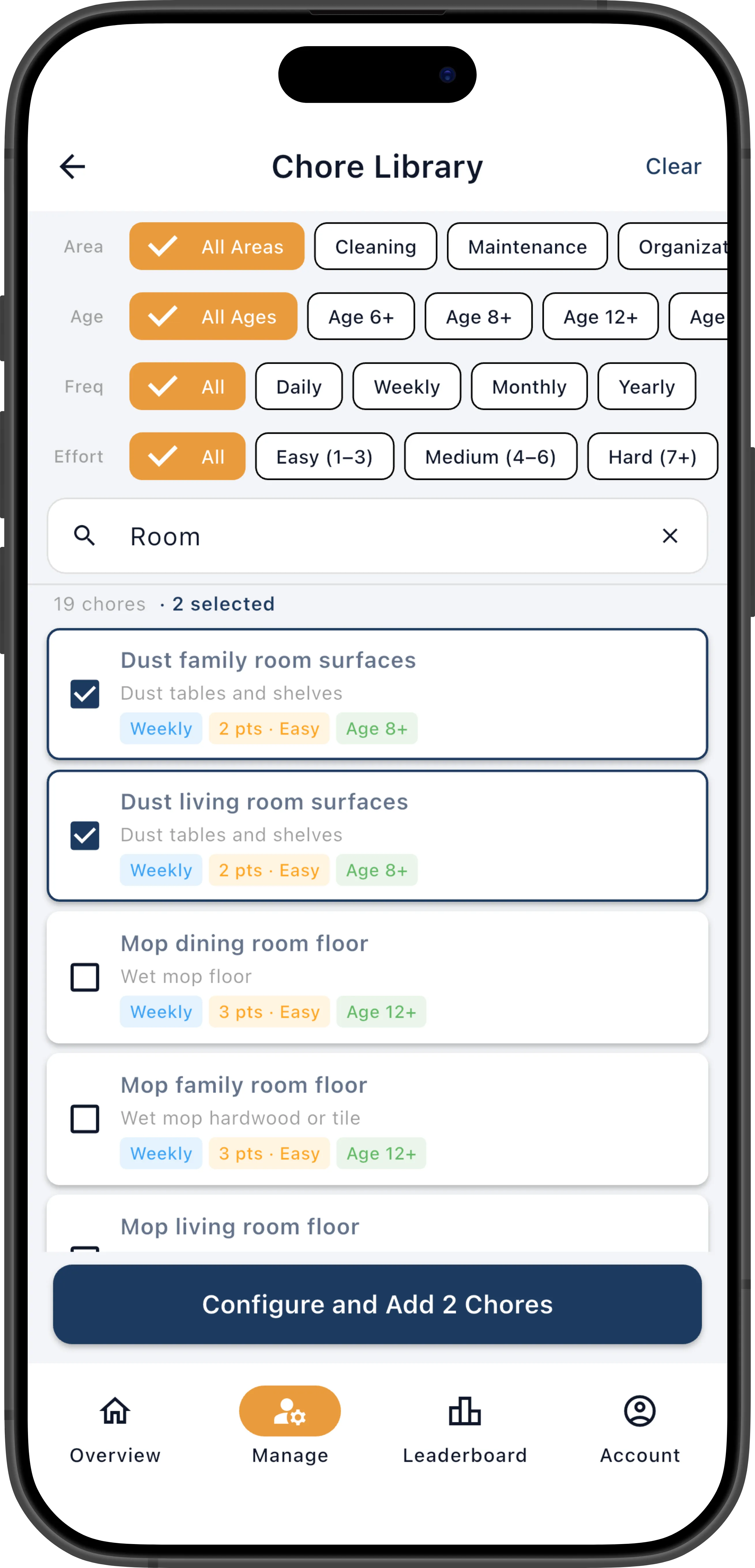
- Tap Add Selected (shown at the bottom once at least one chore is selected).
- The selected chores are added to your family’s chore definitions with their default schedule and effort settings.
After Adding
Section titled “After Adding”After importing, the chores appear in your Definitions list on the Chores screen. You can — and should — edit them to fit your family. Library chores come with sensible defaults, but every family is different:
- Adjust effort points to match your family’s sense of difficulty
- Change the frequency if the default cadence doesn’t suit you
- Restrict eligible members to only the people who should do each chore
- Configure assignment settings like self-assign, strict rotation, and time to complete
Library chores are a starting point, not a final product. The goal is to save you time on setup, not to lock you into someone else’s system.